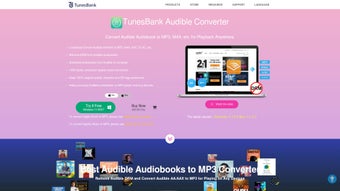

Download TunesBank Audible Converter – Fast Audiobook Conversion Tool for Mac
Overview
TunesBank Audible Converter is a dedicated Mac‑only utility that turns your Audible audiobooks and podcasts into universally playable audio formats such as MP3, M4A, and M4B. Built with speed in mind, the converter claims up to 300 × faster processing than typical audio‑transcoding tools, allowing you to archive large libraries in a matter of minutes. Beyond raw speed, the application safeguards sound fidelity, delivering crisp, lossless output that sounds just as the original purchase intended.
The software’s advanced ID3 tag engine captures and preserves essential metadata—including title, author, narrator, album, genre, year, and user comments—so your converted files stay organized and searchable across any device. For listeners who prefer chapter‑by‑chapter navigation, especially when exporting to M4A, TunesBank Audible Converter can automatically split files at chapter marks, creating a tidy, bookmark‑ready collection. Whether you’re a student gathering lecture podcasts, a commuter who wants offline playback, or an avid reader looking to back up purchased titles, this tool offers a secure, legal‑compliant pathway to enjoy Audible content wherever you go.
Its intuitive interface, coupled with a one‑click conversion workflow, makes the process accessible even for users with limited technical background.
Key Features, Pros & Cons
- 300 × faster conversion speed compared with standard converters
- Supports MP3, M4A, and M4B output formats for maximum device compatibility
- Full ID3 tag preservation (title, author, narrator, album, genre, year, comments)
- Automatic chapter splitting when exporting to M4A, creating individual files per chapter
- Batch processing – convert entire Audible libraries in one operation
- User‑friendly one‑click interface designed for macOS beginners
- Secure handling of DRM‑protected Audible files with built‑in decryption module
- Regular free updates that keep pace with Audible’s DRM changes
Pros
- Lightning‑fast conversion reduces waiting time dramatically.
- High‑quality output retains the original audio fidelity.
- Comprehensive metadata support keeps your library organized.
- Chapter splitting makes navigation on mobile devices seamless.
- Batch mode saves effort when dealing with large collections.
- Mac‑only focus ensures optimal performance on macOS.
Cons
- Only available for macOS; Windows and Linux users need alternatives.
- Initial purchase required—no completely free version, though a trial exists.
- Advanced users may miss command‑line options for scripting.
- Requires an active Audible account for DRM decryption.
Installation, Usage & Compatibility
Getting started with TunesBank Audible Converter is straightforward. First, visit the official TunesBank website and download the latest DMG installer for macOS. Once the file is saved, double‑click the DMG and drag the application icon into your /Applications folder. macOS may prompt you to confirm that you trust the developer; simply click “Open” to allow the installation to proceed.
After launching the program, you’ll be greeted by a clean main window featuring three primary tabs: Audible Library, Output Settings, and Conversion Queue. To add titles, click the “Add Audible Files” button and navigate to the Audible folder (usually located in ~/Library/Application Support/Audible). The software automatically detects DRM‑protected files and prepares them for conversion.
In the Output Settings tab, select your preferred format—MP3 for universal playback, M4A for Apple devices, or M4B for audiobooks that retain chapter information. Adjust the bitrate if needed; the default 320 kbps offers a good balance between size and quality. If you choose M4A, enable the “Split by Chapters” option to generate individual files per chapter automatically.
Once your files and settings are configured, click “Convert”. The conversion queue displays progress bars, estimated time remaining, and any metadata that will be written to the new files. Upon completion, the output folder (by default ~/Music/TunesBankConverted) opens automatically, revealing neatly organized audio files ready for transfer to any device.
Compatibility: TunesBank Audible Converter is optimized for macOS 10.13 (High Sierra) and later, including macOS Ventura and macOS Sonoma. It runs natively on both Intel‑based Macs and Apple Silicon (M1/M2) thanks to universal binary support. While the software focuses on macOS, the output files (MP3, M4A, M4B) are fully compatible with Windows, Android, iOS, and any media player that supports standard audio formats.
Conclusion & Frequently Asked Questions
If you own a Mac and want a reliable, high‑speed solution for converting Audible audiobooks into portable formats, TunesBank Audible Converter stands out as a top choice. Its blend of speed, quality, and meticulous metadata handling means you can preserve your entire library without sacrificing organization or listening experience. While the lack of a Windows version limits cross‑platform appeal, the tool’s dedicated macOS optimization and seamless chapter splitting deliver genuine value for Apple‑centric users. The modest price point, combined with a free trial, lets you evaluate the software risk‑free before committing.
Ready to transform your Audible collection? Download TunesBank Audible Converter now and enjoy faster, higher‑quality audiobook playback on any device you choose.
FAQ – Frequently Asked Questions
Can TunesBank Audible Converter handle DRM‑protected Audible files?
Yes. The converter includes a built‑in decryption module that legally removes Audible’s DRM after you sign in with your Audible account, allowing conversion to MP3, M4A, or M4B.
Is there a limit to how many audiobooks I can convert at once?
No. The batch processing feature lets you add an entire Audible library to the queue, and the software will convert each title sequentially while you continue working on other tasks.
What output quality can I expect from the MP3 files?
The default setting is 320 kbps CBR, which preserves the original audio fidelity. You can lower the bitrate if you need smaller file sizes, but the default provides near‑lossless quality.
Will the converted files retain my audiobook’s chapters?
When you choose M4A as the output format and enable “Split by Chapters,” the converter creates separate files for each chapter, making navigation on smartphones and tablets effortless.
Is there a free trial, and does it include all features?
TunesBank offers a 7‑day free trial that provides full access to all conversion options, batch processing, and metadata handling, so you can test the software before purchasing.
Review Summary: TunesBank Audible Converter delivers impressive speed, excellent audio quality, and robust metadata support, making it a must‑have for macOS audiobook enthusiasts. Minor drawbacks include platform limitation and lack of command‑line control, but the overall value outweighs these concerns.







